
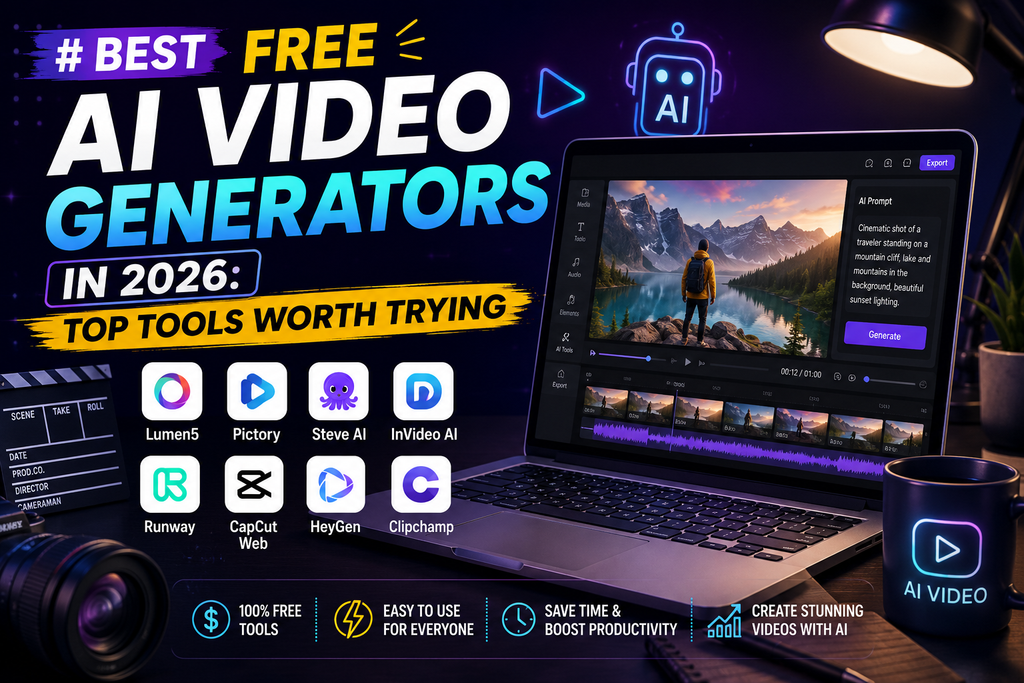
The process of creating videos using AI has evolved rapidly. Just one year ago, all free apps created low-quality videos that couldn’t be watched. Today, people can make videos of good quality at no cost at all. Below you will find a review of the top free AI video generator tools for 2026.
Why AI Video Generators Matter Right Now?
Most social media channels are now swamped by videos. However, recording and editing videos normally require considerable time and resources. AI-based video generators make it easy to bypass these constraints. You no longer have to hire a video crew; instead, it is sufficient to create a proper text prompt. Moreover, the technology has developed rapidly. The first solutions had many problems with rendering hands, faces, and natural movements of characters. The modern top platforms provide much better rendering of physics, light, and camera movement. This improvement makes the current trend understandable – creators, marketers, and entrepreneurs are moving towards AI video generation.
Best Overall Free AI Video Generator: Google Veo 3
Google Veo 3 always ranks at the top in terms of output quality. It correctly interprets complex descriptions of the scene. It is able to create realistic physics effects and maintain consistency between the frames. Such consistency is important because many competitors cannot guarantee a stable appearance of characters in their videos. Veo 3 is available on Google AI Studio, and qualified users get daily free credits. Generation takes some time; it usually takes two to four minutes to generate a ten-second video. However, if you care about quality, not speed, it can be a fair trade-off.
AI Video Generator Free Credits: Kling AI
One of the things that make Kling AI stand out is the generous amount of free credits provided. Typically, you get around 66 daily credits, enough to generate several videos at zero cost. In addition, even when you exceed the free allowance, the resulting output quality proves to be impressive. It is often similar to that of paid alternatives worth $30 per month or more. Such an offer combined makes Kling a perfect choice for cost-conscious creators. YouTubers and social media influencers tend to prefer Kling the most. The platform provides ample opportunities to experiment without reaching the payment wall right away.
Best for Photorealistic Output: Hailuo AI
Hailuo AI has gained popularity due to its photorealistic output. Generated videos often seem more realistic than those created by other platforms. For this reason, Hailuo is a great choice for marketing and video content that should appear natural. However, limitations of the free tier of Hailuo AI have become more stringent lately. Previously, users got an unlimited number of generated videos, but now there are some restrictions regarding the daily allowance. Since the terms often change, it is best to check the actual terms before using the service.
Best for Camera Control: Runway
When more editing control over generated videos is needed, creators choose Runway. The platform allows precise editing of videos, such as moving the camera, adjusting colors, and other details. Filmmakers and designers often use the tool because of this flexibility. There is a limit in the form of a certain number of credits in the free trial of Runway AI. Credits are provided once and do not represent a recurring daily allowance. Also, videos created during the free trial usually contain a watermark.
Best for AI Avatars and Talking Heads: HeyGen
HeyGen stands out in a league of its own. Unlike previous AI generators that make abstract scenes, HeyGen offers AI avatars and voice cloning. The free tier also gives users access to avatars, voice cloning, and support for over 175 languages. The tool will be handy for creating explainer videos or presentations. Video marketers who create talking-head videos using avatars tend to find HeyGen faster and less expensive than hiring real-life presenters.
Best for Faceless YouTube Content: InVideo AI
Unlike other generative AI tools, InVideo AI uses a slightly different mechanism to produce videos. It doesn’t generate video pixels but creates content differently. It uses the largest stock footage database combined with voiceovers powered by AI and an automated editing process. All the user needs to do is feed in a text prompt or an article, and the tool creates the whole video. The method is perfect for faceless YouTube channels. Creators who value convenience over originality would prefer InVideo AI. The free tier comes with weekly minutes of video generation, though a watermark appears unless you subscribe to another tier.
Best for Fast Generation: Seedance
Speed has become Seedance‘s signature. Although its content creation is high-quality, what really matters is the speed of creation. High-volume creators of video clips tend to prefer tools that offer quick results because waiting several minutes per generation becomes too much. It is important to mention that most new tools usually allow generous access during their launch and narrow it down later on. That has happened in multiple recent launches of video AI platforms. Therefore, creators should take advantage of free periods when they can access the tool.
Best for Multi-Shot and Native Audio: PixVerse
Moreover, PixVerse allows users to experiment with multi-shot generation, which includes native audio. Unlike other websites, where users get one short clip at once, PixVerse gives the ability to make a connected sequence of video frames that seems to be a transition between scenes. It makes the website helpful for the creation of short stories, not single video clips. As was mentioned above, the testing process on dozens of prompts proved that PixVerse is capable of creating repeatable videos. So, for those who are working on a batch of videos and require consistency from their AI website, the mentioned feature will also matter.
Common Mistakes to Avoid
When it comes to newcomers in the world of video-making, there are some typical mistakes they usually make. They include expectations about “free” tools being free forever (as demonstrated in the table above). Moreover, people tend to miss the export prompt and get a watermark at the end of the project. Lastly, poor prompts are the most common reason for bad results. Making mistakes like these is easy if you don’t have enough patience to read the terms carefully.
How to Choose the Right AI Video Generator?
Given all of these options, the selection process depends on your specific needs. For those who prioritize quality, Google Veo 3 is still the best AI Video Generator. Those who test often and on a budget will find that Kling AI’s abundant credits help them in their exploration. For conversational content, HeyGen is the way to go. InVideo AI works well for creators who need a ready-made, faceless video without the necessity of prompt manipulation. Runway is still a great tool for creators who wish to have manual control. It suits creators who focus on filming and editing.
What to Watch Out For With Free Tiers
Many free tools for making AI videos change over time. Often, some of these platforms provide abundant opportunities from the beginning but gradually reduce them as the service evolves. Therefore, it is always advisable to verify how many limits are imposed now before creating a workflow on top of a specific platform. Watermarks can be another pitfall. Some platforms will only allow removing them on paid subscriptions. Even if a generation process is technically free, always check export settings before uploading the video publicly.
Tips for Getting Better Results From AI Video Tools
Prompting details make an enormous difference to the results. General prompts generate generic and inconsistent content. It is better to include lighting, camera angles, emotions, and actions that should be captured by the video generation. The more details there are, the more accurate the outcome will be. Also, running the same prompt through different tools might be a useful option, as each platform deals with motion, faces, and complex scenes differently. Comparison helps you find out what tool suits your project better.
Final Thoughts
The current state of AI video generation is a useful stage for regular users. No matter whether you want to create videos of high cinematic quality, short video posts for social media, or AI avatars for presentations, there is definitely a free tool for you. There is truly something for everyone. As these platforms continue to evolve rapidly, flexibility is key here. If you’re looking for the 10 best tools to earn money online or the best tools for studying, check out our other guides on those topics.