
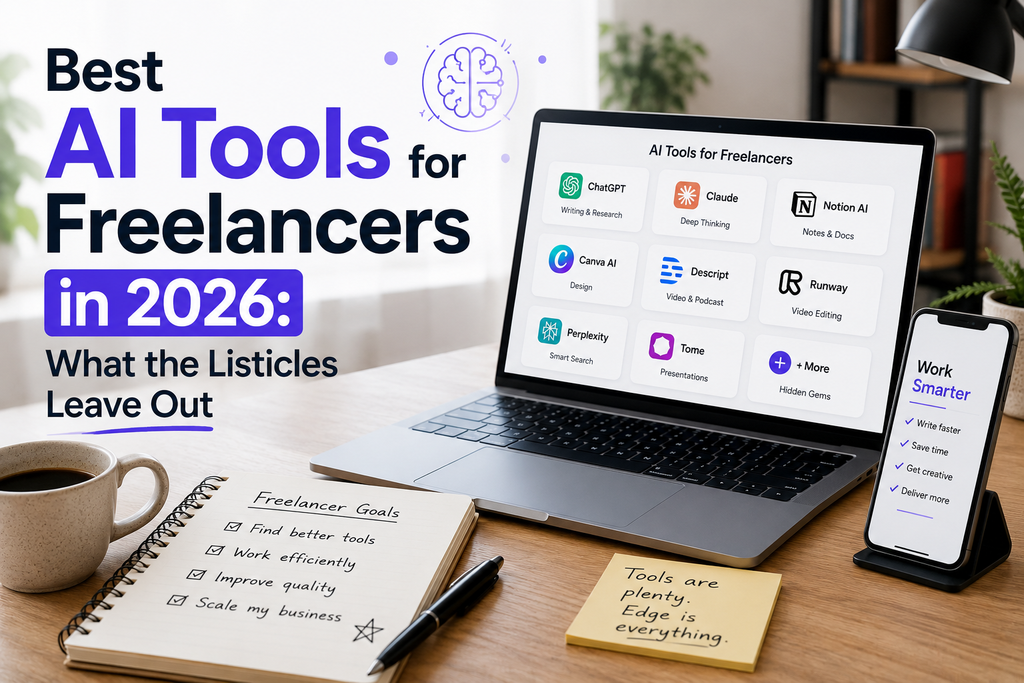
Search “best AI tools for freelancers 2026,” and you’ll get a lot of near-identical lists: ChatGPT for writing, Canva for design, GitHub Copilot for coding, a proposal maker, an automation tool. They’re not wrong. But after 7 years running my freelance business and actually paying for these tools myself, I can tell you those lists never cover the part that actually decides whether AI helps your freelance business or quietly hurts it: client trust, subscription bloat, and rate compression. This isn’t a roundup written from press releases. It’s the freelance-ai-stack-2026 I actually bill hours through, plus the mistakes that cost me time or client trust before I fixed them.
Why the Standard “Best AI Tools” List Isn’t Enough Anymore?
By 2026, most freelancers have already tried Claude, ChatGPT, or Canva AI; knowing these tools exist isn’t an edge anymore. What separates freelancers who make money because of AI from freelancers who spend money on it comes down to three things: deliberate tool selection, clear communication with clients about AI use, and protecting the parts of the work that AI genuinely can’t do.
The Core Stack (freelance AI stack 2026)
Here’s what I actually keep paying for, and roughly what it costs, not vendor pricing pages, but what a solo freelancer running lean actually spends:
| Tool | Job it does | Real monthly cost |
| Claude or ChatGPT | PropoSales, client emails, briefs, reports | $20 |
| Proposal tool (e.g., Bonsai, Proposify) | Turns a brief into a priced proposal | $19–29 |
| Canva AI | Social graphics, quick visuals | $13 (or free tier) |
| Zapier / Make / n8n | Invoicing, booking, intake automation | $0–20 on low usage |
| Otter / Fireflies / Fathom | Call notes and summaries — only if calls are part of your workflow | $0–12 |
That’s five tools, not fifteen. In my own experience, every time I added a sixth or seventh subscription “just in case,” it went unused within a month. If you’re paying for more than five AI tools right now, check your usage logs before renewing — you’re probably paying for tools you open twice a month.
The Gap Nobody’s Talking About: Client Trust and Disclosure
Here’s what almost no “best AI tools” content mentions: a growing number of clients now ask directly whether AI touched their project, and pasting a client’s materials into a public AI tool can create real confidentiality exposure. Drafting your own blog post with AI: fine. But feeding a client’s unpublished business plan, financials, or proprietary code into a general-purpose chatbot “to move faster” can breach an NDA you signed without you realizing it. Some freelance platforms are already writing AI-disclosure clauses into standard contract templates for this exact reason.
Two habits worth building in 2026 that most guides skip:
- Add an AI-use clause to your contracts: name which tools you use and for what (drafting, research, design) and confirm client data never goes into them.
- Don’t paste confidential client material into any tool whose data-training policy you haven’t checked. Some platforms use conversations to train future models by default unless you opt out.
Being upfront about this isn’t a liability in my experience; it reads as more professional, not less.

The Other Hidden Risk: AI-Detection and Your Portfolio
This is a genuinely new 2026 problem that round-up posts haven’t caught up to. As more clients run AI-detection tools on deliverables, freelance writers in particular are getting flagged or questioned for work they wrote themselves with AI assistance and, in some cases, losing repeat business over a false positive.
Practical precautions that have worked for me:
- Keep draft history or version notes on major assignments, so you can show your process if a client asks.
- Use AI for a first draft only, never as the final pass. The more you personally rewrite, the lower the false-positive risk, and usually the better the piece reads anyway.
- Ask new clients upfront whether they run AI-detection tools, so there are no surprises later.
Building a freelance AI stack 2026 Without Wasting Money
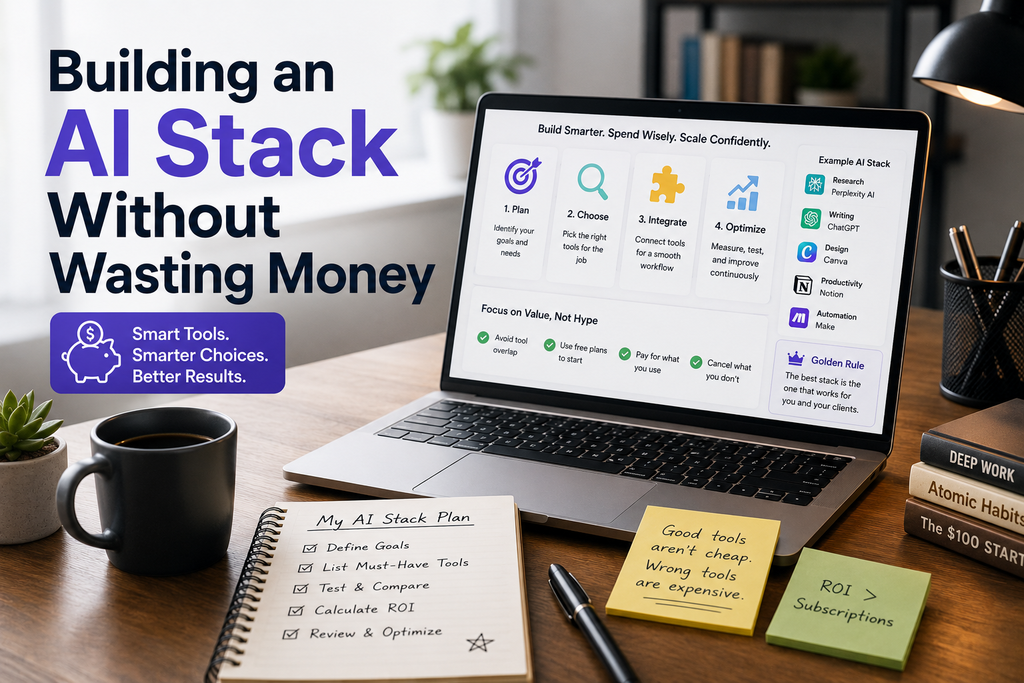
Most advice on this topic makes vague claims like “save 10 hours a week” without ever pricing it out. A realistic freelance AI stack 2026: a lean, functional AI stack for a solo freelancer runs $40–$60/month: one writing/reasoning assistant, one design tool, one automation or proposal tool. Anything beyond that has to earn its place by replacing a specific task you currently do manually every week. Before adding a new tool, ask one question: what recurring task, specifically, does this replace? If you can’t answer that in one sentence, it’s not time for that tool yet.
Future-Proofing Your Rates as AI Becomes Standard
This is the angle almost no 2026 article touches, and it’s the one that matters most long-term: once AI tools are ubiquitous, the tasks AI handles well first drafts, basic design, templated proposals stop being billable on their own. Clients start expecting fast, polished output as the baseline, not a premium.
What stays valuable:
- Judgment: knowing what should be done, not just how, strategy, positioning, editorial calls AI can’t make on its own
- Trust: clients pay more for freelancers they don’t have to double-check
- Niche expertise: technical, financial, or industry knowledge a generic model doesn’t have
- Taste: the judgment calls that turn a technically correct output into something genuinely good
The freelancers holding their rates in 2026 aren’t the ones using the most AI tools; they’re the ones using AI to clear the repetitive 30–40% of their workload, then reinvesting that time into the judgment-based work clients can’t get anywhere else.
Related reading(AI Tools):(freelance AI stack)
- 10 Best AI Tools to Earn Money Online in 2026 — https://life-fusion.com/ai-tools-to-earn-money/
- How to Make Money with AI in 2026 — https://life-fusion.com/make-money-with-ai-2026/
- Best Free AI Video Generator in 2026 — https://life-fusion.com/ai-video-generator/
- How to Use Nano Banana AI to Edit Product Photos — https://life-fusion.com/nano-banana-ai/
- Back-to-School AI Tools: The Best Free Apps to Study — https://life-fusion.com/ai-tools/